
Enrolled Students & Faculty Only Academic & Cloud EDA Licenses

Front-end EDA software & lab environment

Access industry-standard simulation software, setup walkthroughs, and verified EDA tools for hands-on digital design and verification coursework.

Authorized Coursework & Research Access

All simulation tools and setup walkthroughs are provisioned for registered students for educational and skill development purposes.

View Programs

Front-End Software & Simulation Workflows

Interactive tool access, step-by-step video setup guides, and verified downloads for industry-standard QuestaSim, ModelSim, and cloud-based EDA Playground.

Click here for tool access

Launch cloud-based Verilog, SystemVerilog, and UVM simulation instantly with zero local installation on EDA Playground.

Launch Tool
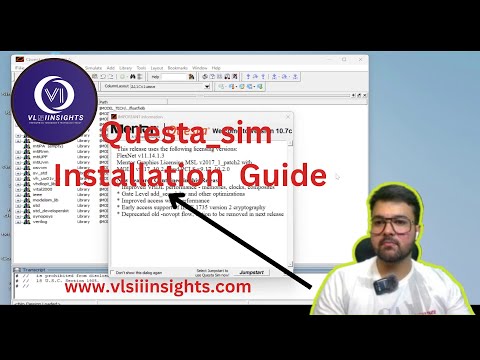
QuestaSim Simulation & Setup Tutorial - VLSI Insights
Watch Tutorial Walkthrough
QuestaSim Tutorial Watch Tutorial on YouTube

Questasim

Advanced Simulation EDA

High-performance multi-language simulation engine for modern ASIC and SoC design. Comprehensive support for SystemVerilog, UVM testbenches, assertions (SVA), mixed-signal, and unified coverage metrics.

  • SystemVerilog IEEE 1800 & UVM 1.2 Verification
  • Assertion-based verification (SVA) & Code Coverage
  • Fast debug environment with advanced waveform viewer
Official Software Click here to Download
Tap here
ModelSim Simulation & Setup Tutorial - VLSI Insights
Watch Tutorial Walkthrough
ModelSim Tutorial Watch Tutorial on YouTube

Modelsim

HDL Simulation Standard

Industry-benchmark simulation and debug environment for FPGA and ASIC design flows. Standardized across academic institutions and silicon teams for robust VHDL, Verilog, and SystemVerilog verification.

  • Complete VHDL & Verilog IEEE-compliant simulation
  • Native graphical debugger, source browser & datapath viewing
  • Full compatibility with Intel Quartus & AMD Vivado flows
Official Software Click here to Download
Tap here

Register with us. Get a Free Demo

Need assistance configuring your EDA environment, license servers, or running your first UVM testbench? Join our live interactive demo session.

Tap here

Front-End Software Support & Lab Access

Need help installing QuestaSim, resolving ModelSim simulation errors, configuring license environment variables, or requesting verified tool access? Submit your query details below and our EDA lab engineers will assist you directly.

Official software setup packages provisioned under educational & training guidelines. Response within 24 hours.

Common questions & lab policies

Everything you need to know about system compatibility, tool access, and verified download packages.

Access is granted to all students enrolled in our active VLSI RTL, UVM Verification, Embedded Systems, and Job-Oriented career tracks. Faculty and institutional partner researchers are also provisioned dedicated credentials during their cohort periods.

No. All licenses provided through VLSI Insights operate under academic and workforce training agreements. They are legally restricted to coursework, skill development, and non-commercial open-source verification projects.

For local simulation via QuestaSim and ModelSim, a minimum of 8 GB RAM, 20 GB free disk space, and a modern 64-bit multi-core CPU are recommended.

Get Started with Practical Silicon Tools

Ready to run your first simulation?

Join hundreds of engineers who learned industry-standard verification and synthesis workflows through our hands-on curriculum.